Even without an account, you can search for classrooms and view their details without logging in. This page brings together guidance for first-time visitors to Chaen.
Search for a classroom
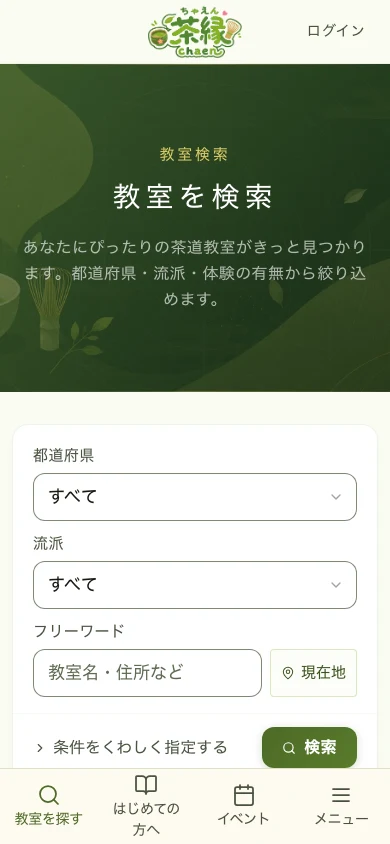
- Choose a "Prefecture" and "School", then press the green "Search" button
- If you don't know the school, it's fine to leave it unselected
- Part of a classroom name or address can go in "Keyword"
- Use the "Current location" button to find classrooms nearby
- City, nearest station, how you join, pricing, and feature filters live under "Add more conditions"
- Sorting (newest, distance, lowest price) is switched above the results list
View a classroom's details
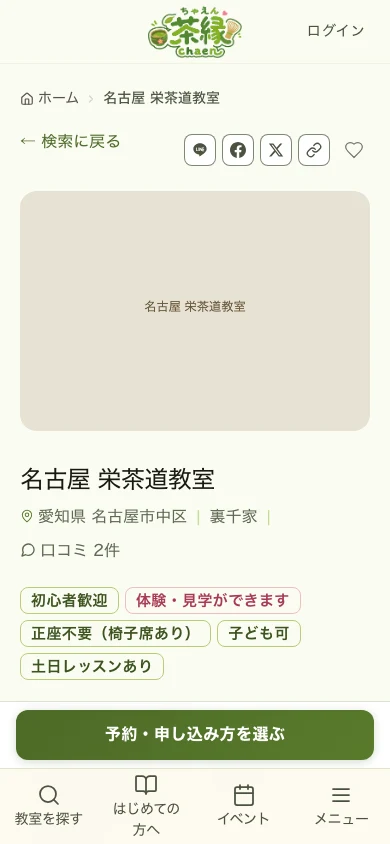
Tap a classroom you're interested in from the search results to see its details. The tabs at the top split into "Details", "Schedule", "Pricing & enrollment", "Reviews", "Blog", and "Events".
Before booking, read through the"What to check before booking" card. It gathers the fee (monthly or per session), the booking method (instant or approval-required), the typical lesson length, the next available date, when booking closes, what to bring, what to wear, and the cancellation and refund terms.
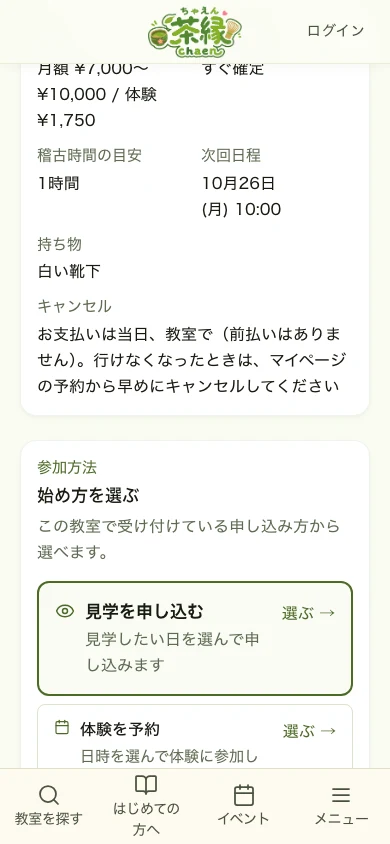
To apply, pick the option that fits your goal under"How to join" → "Choose how to start".
- "Apply for a visit" — to check the atmosphere and how attending works first
- "Book a trial" — to pick a date and time for a trial lesson
- "Book" or "Book a regular lesson" — to join a regular lesson on a per-session basis
- "Book with your monthly plan" — when you are on a monthly plan with uses left in the current month of your plan
- "View pricing & enrollment" — to check fees and the enrollment cost first
Find events & tea gatherings
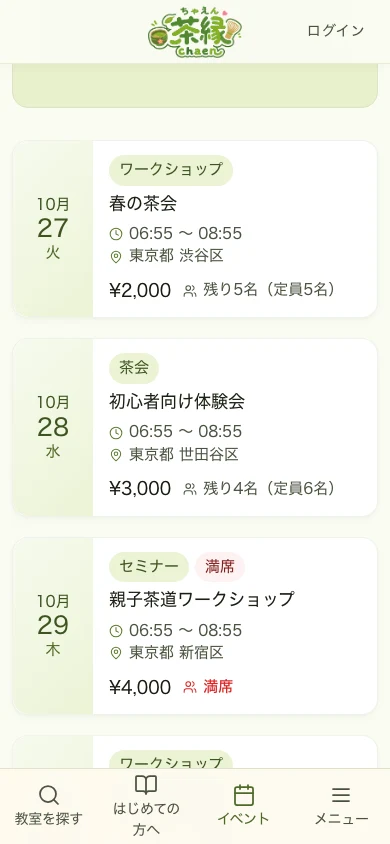
Event list lets you find tea gatherings, workshops, and other events. Tap one you're interested in to see the details.
Find a teacher
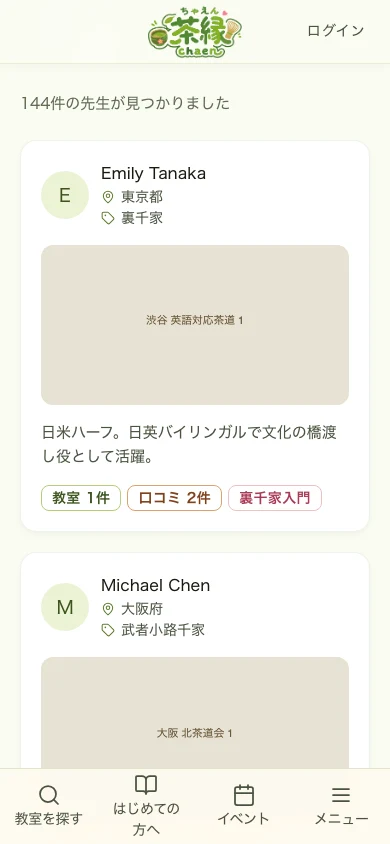
Teacher list also lets you choose a classroom by browsing teacher profiles.
Useful tools
- Classroom finder — Answer a few questions and get classroom suggestions tailored to you
- Online classrooms — Find classrooms you can join from home, by prefecture and school
- Blog — Read articles about tea ceremony and posts from classrooms
- Announcements — Check the latest news from Chaen
- Tea ceremony glossary — Look up terms used in lessons and tea gatherings, by reading or category
- Ippuku — whisk matcha in your browser — Move the whisk, raise the foam, and walk the seven steps of drinking etiquette before your first lesson
- Raku — fire your own tea bowl — Shape the clay, glaze it and fire a tea bowl — then use it in Ippuku
- Nerikiri — make a seasonal sweet — Knead the colours and wrap the paste into a seasonal sweet — then serve it with your tea
If you want to book or apply
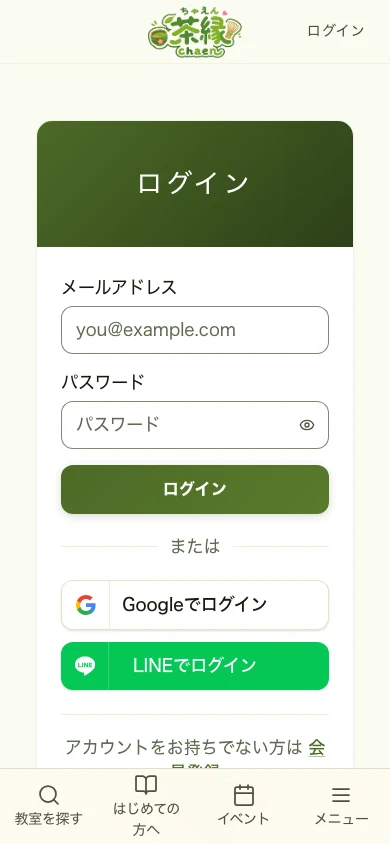
Booking a lesson or applying for a visit requiressigning up and logging in.Signing up is free. Seethe booking flow for the booking steps.
Considering listing your classroom
- List your classroom — An overview of the benefits and process of listing
- Pricing — Pricing for listing your classroom (using Chaen as a student is free)
- Chaen's story — The thinking and background behind Chaen